
Want to create highly detailed adult images that look real or anime-level sharp? You can learn the exact approach that lifts quality from blurry attempts to striking, full body results.
In this guide, you’ll find tested metadata boxes, model tips, and copy-paste examples to speed your workflow. Stable Diffusion 1.5 started this scene, and modern bases like SDXL and Pony Diffusion XL now push realism and style further.
You’ll get examples for detailed eyes, beautiful face renders, and settings that preserve skin, lighting, and fine hair. The guide covers both realistic shots and anime or hentai styles.
Copying metadata into WebUI fields saves time and helps you hit best quality faster. Whether you chase a night scene, a photo shot, or a fantasy composition, these examples aim to make your process predictable and efficient.
Key Takeaways
- Use tested metadata boxes to boost consistency and quality.
- Stable Diffusion 1.5 led the way; modern bases offer richer detail.
- Focus on eyes, face, hair, and lighting for convincing images.
- Copy-paste examples speed learning for both photo and anime styles.
- This guide emphasizes highly detailed, full body results with practical settings.
Understanding Base Models for AI Image Generation
Picking the right base model sets the tone for every generated scene. Your choice affects resolution, facial fidelity, and how well the engine handles full body anatomy. That matters when you want highly detailed results for faces, eyes, hair, and skin.
Stable Diffusion 1.5
Stable Diffusion 1.5 is the foundational model that brought wide accessibility to image generation. Many fine-tunes and forks still use it as a starting point.
It excels at reliable compositions and a broad range of styles. Use it when you need predictable rendering for faces, hands, and full body shots in photos or staged scenes.
SDXL and Flux
SDXL raised default resolution to 1024×1024, which improves the realism of eyes, skin texture, and lighting in a single shot.
Flux, from Black Forest Labs, focuses on next-level realism. It benefits creators who aim for best quality, believable hair, lifelike faces, and coherent bodies in night or fantasy scenes.
- Choose 1.5 for versatility and many fine-tunes.
- Pick SDXL for higher native resolution and cleaner detail.
- Use Flux when realism and nuanced lighting matter most.
Essential Settings for High Quality AI Porn Prompts
Getting your generation settings right is the single biggest factor in moving from rough trials to highly detailed, full body results.
Start by copying a metadata block into your WebUI so Steps, Sampler, Size, Seed, and CFG scale populate automatically.
Press the blue arrow under Generate to apply those values at once. This saves time and ensures consistent image behavior across runs.
Use a steady negative prompt to filter out bad anatomy, extra digits, fused hands, or low-quality artifacts. A consistent negative prompt is vital for clean faces and hands.
- Set CFG scale around 4–6 to balance adherence and creativity for a natural look.
- Include model-specific metadata (like stable diffusion hashes) for repeatable quality.
- Maintain a short negative prompt list to avoid glitches in eyes, teeth, and feet.
“Proper configuration is the difference between a masterpiece and a glitchy image.”
Master these settings and your sex, nsfw, and hentai scenes will yield better lighting, sharper eyes, and more believable skin and body detail.
Mastering Stable Diffusion for Realistic Results
Realistic Vision and Chilloutmix give you a practical path to photorealistic full body shots. These models focus on crisp eyes, believable skin, and coherent body anatomy needed for high quality image work.
Realistic Vision is one of the most popular models for photorealistic output. It pairs well with samplers like DPM++ 2M Karras to stabilize lighting and face detail in night or studio scenes.
Realistic Vision
Use this model when you want a clean photo-style shot with detailed eyes and a beautiful face. It handles head, skin, and teeth better than many older bases.
Chilloutmix and LoRAs
Chilloutmix shines for Asian-style characters and soft lighting. Combine it with LoRAs such as koreanDollLikeness or cuteGirlMix4 to boost hair, eyes, and breasts while keeping a natural look.
- Place models in stable-diffusion-webui/models/Stable-diffusion.
- Put LoRAs in stable-diffusion-webui/models/Lora so they load correctly.
- Adjust cfg scale and sampler for consistency with full body shots.
“Mastering these models lets you produce highly detailed scenes that were once very hard to achieve.”
Leveraging Pony Diffusion XL for Stylized Characters
Pony Diffusion XL excels at turning concise inputs into highly detailed character images. Use it when you want crisp eyes, a beautiful face, and coherent full body anatomy in anime or semi-real styles.
The model responds well to precise tags. Include score_9 and score_8_up in your main prompt to push for best quality. Add score_6, score_5, score_4 to the negative prompt to reduce artifacts and odd limbs.
Because Pony has deep hentai knowledge, it handles stylized adult scenes and nsfw details more accurately than many bases. Pairing multiple LoRAs stabilizes output and helps avoid unpredictable mixes.
- Use LoRAs to guide hair, face, and breasts toward your target look.
- Keep prompts focused on eyes, skin, and lighting for cleaner shots and better hands.
- Test settings across night and studio scenes to find the best lighting for legs, feet, and overall body tone.
“Pony Diffusion XL bridges anime and semi-real work, making highly detailed, full body characters more achievable.”
Exploring the Illustrious Model for Anime Aesthetics
Illustrious focuses on anime-style cohesion, letting you dial in character detail and mood with surgical precision. Developed by Onoma Research, this model excels at creating highly detailed characters with consistent full body anatomy.
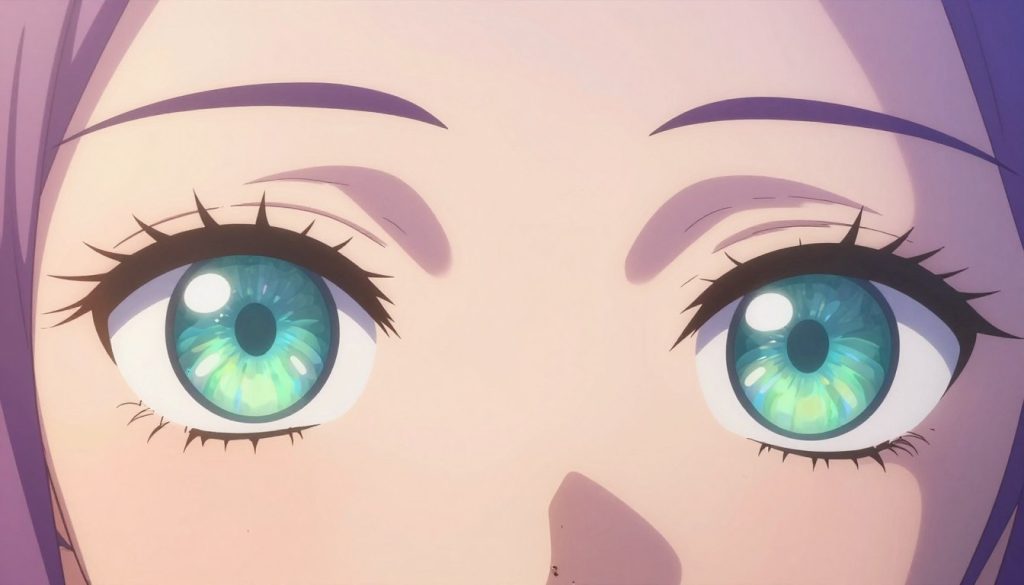
WAI-Illustrious is a top-tier variant that yields best quality anime images when you define facial features, hair, and body shape precisely. Pairing it with the Euler a sampler and the sdxl_vae often improves stability and light handling.
Focus your prompt on eyes, face, hair, and pose to get cohesive shots. Short, clear tags for head angle, hands, and legs help the model keep anatomy intact.
- Use WAI-Illustrious for intricate anime characters.
- Favor precise character descriptions for highly detailed skin and eyes.
- Combine the model with Euler a and sdxl_vae for faster, high-quality results.
“Illustrious gives creators more control over stylized character design and cohesive full body scenes.”
Best Practices for Negative Prompts
Filtering out unwanted elements begins with a tight negative prompt. Use it to block text, logos, lowres artifacts, and bad anatomy so the model focuses on the parts you want: eyes, face, hair, and body.
Start every run with a short, tested negative prompt such as “(low quality, worst quality:1.5), (bad anatomy), lowres, bad composition, text, username, logo”. That line removes common issues and raises overall quality.
For Pony Diffusion XL add score tags like score_6, score_5, score_4. These negatives force the model away from weaker candidates and help keep full body anatomy coherent.
- Implement a robust negative prompt to stop extra limbs and fused fingers.
- Update the list often to block watermarks, jpeg artifacts, and poor facial detail.
- Let the negative prompt filter so the model spends compute on highly detailed eyes and a beautiful face.
“A well-crafted negative prompt acts as a filter, ensuring only desired high-quality elements appear in the final image.”
Practice and iteration matter. Tweak negatives per model (stable diffusion variants differ) and per scene—night shots or photo-style scenes may need extra exclusions to preserve skin, lighting, and breasts without glitches.
Utilizing LoRAs to Enhance Your Visuals
LoRAs give you surgical control over facial shape, hair texture, and body details without retraining the base model.
Place base models in stable-diffusion-webui/models/Stable-diffusion and LoRAs in stable-diffusion-webui/models/Lora. This keeps your workflow tidy and reproducible.
Recommended Folder Structures
Load LoRAs by filename and adjust weight in the prompt, for example <lora:koreanDollLikeness:0.3>. Lower weights nudge style; higher weights dominate the look.
- Combine LoRAs like breastInClass + cuteGirlMix4 for richer breasts, hair, and eyes.
- Test weights between 0.1–0.6 to protect face and body anatomy.
- Keep versions of LoRAs organized by style and scene (night, photo, anime).
| LoRA | Main Use | Suggested Weight |
|---|---|---|
| breastInClass | Breasts detail, body shape | 0.2–0.5 |
| koreanDollLikeness | Face, eyes, smooth skin | 0.1–0.4 |
| cuteGirlMix4 | Hair texture, youthful style | 0.15–0.35 |
| ChilloutMixss | Lighting and soft skin tones | 0.1–0.3 |
“Mastering LoRAs is key to producing highly detailed, full body images with consistent eyes, face, hair, and skin.”
Optimizing Lighting and Skin Texture
A well-crafted light setup highlights contours, preserves facial detail, and lifts overall image quality. Use tags like “cinematic lighting” or “professional soft lighting” to add depth and drama.
For realistic skin, include descriptors such as “detailed skin”, “real skin”, or “shiny skin”. These cues help the model render pores, subtle gloss, and natural highlights on breasts, legs, and the face.
Depth of field and lens flare tags create a photographic look. Backlighting emphasizes body contours and separates the subject from the background. That technique is especially useful in night scenes or studio shots.
- Use cinematic or soft light tags to increase perceived quality and depth.
- Add detailed skin descriptors to improve texture on hands, feet, and breasts.
- Apply depth of field to draw focus to the eyes and beautiful face.
“Lighting and skin detail convert a good composition into a professional, highly detailed full body shot.”
Crafting Detailed Body and Face Descriptions
Precise anatomical and facial tags make a big difference for highly detailed, full body images. Use short, concrete phrases to tell the model what to keep and what to avoid.
Facial Features
Describe the face with clarity: “extremely beautiful face,” “big eyes,” “detailed facial features.” Add texture cues like “detailed skin” and micro details such as “teeth visible” or “blushing.”
Expressions matter. Tags like “looking at viewer,” “open mouth,” or “soft smile” add personality and help maintain the same face across runs.
Body Proportions
Define physique using short labels: “tall,” “slender,” “medium breasts,” “wide hips,” or “athletic legs.” These phrases guide body shape and keep full body anatomy consistent.
Include targeted anatomical markers for hands, feet, and breasts to reduce errors: “clean hands,” “natural feet,” “defined nipples,” or “subtle cleavage.”
- Keep descriptions consistent to preserve the character across multiple shots.
- Combine emotion and anatomy—for example, “blushing girl with big eyes and wide hips.”
- Use a short negative prompt to block artifacts and protect face and hands.
“Clear, repeatable descriptors are key to producing highly detailed, full body results with a beautiful face and consistent eyes.”
Advanced Techniques for Complex Scenes
Complex multi-character scenes demand tight role tags and clear interaction notes so you can keep anatomy accurate and the composition readable.
Start each shot by labeling characters (for example “1boy 1 girl”) and a short action like “missionary position”. That reduces fused hands, odd legs, and misplaced heads.
Combine environmental tags—“royal palace,” “forest,” “night cityscape”—to give context. Environment cues help lighting and skin reads stay coherent across a full body scene.
Use multiple LoRAs to split duties: one for hair and face, another for body and breasts, and a third for background style. This keeps detailed eyes and a beautiful face consistent while the scene remains highly detailed.
For best quality, run Hires. fix on complex compositions. Upscaling preserves skin texture, nipples, teeth, and small hand details that often fail at lower sizes.
“Precise labeling and modular LoRAs turn complex ideas into reliable, highly detailed full body results.”
- Define roles and actions to control interaction and avoid anatomy errors.
- Add environment tags to improve lighting and photo realism.
- Use Hires. fix and layered LoRAs to keep eyes, face, hair, and body crisp.
Reviewing Promptchan as an AI Generation Tool
A clean split-screen design helps you tweak settings while watching the image evolve.
Site Design and Usability
Promptchan.ai launched in May 2024 and uses a token-based system that feels straightforward. You choose a membership and get a fixed number of image generations per month.
The basic plan is $11.99 monthly for 750 generations and 3x speed. The top tier is $26.99 and adds 2,500 generations plus upscaling.
The split view shows your prompt box, generation settings, and the output image. That layout makes it easy to test cfg scale, negative prompt entries, and model options.
- Negative prompt box: a useful filter that helps remove artifacts and keep faces, hands, and skin clean.
- Beginner-friendly: the interface reduces friction for newcomers testing composition, lighting, and full body shots.
- Beta caveat: occasional bugs appear, but the platform is a solid contender for fast image generation and good quality results.
“Promptchan balances speed and usability, making it simple to iterate on detailed eyes, a beautiful face, and full body compositions.”
Managing Your Membership and Credits
Optimizing credits helps you prioritize high-quality generations for faces, skin, and body detail. Keep your profile updated so you can claim monthly gem tokens from the main menu.
Membership tiers set your monthly generation allowance and processing speed. Higher tiers give up to 2,500 generations and faster queues.
Monitor usage to avoid running out during a long session. Track how many gems each highly detailed run costs and plan batches for full body work, detailed eyes, or face-focused outputs.
- Claim monthly gems via your profile to keep a steady flow of nsfw or sex work without surprise gaps.
- Compare tiers and pick one that matches how many highly detailed images you create per month.
- Budget credits for high-quality runs when you need clean hair, sharp eyes, and consistent face renders.
| Tier | Monthly Gems | Speed | Best For |
|---|---|---|---|
| Basic | 750 | Standard | Casual tests, low-volume nsfw |
| Pro | 2,500 | Fast | Batch work, highly detailed body & face |
| Mid | 1,200 | Faster | Regular creators, detailed eyes and skin |
“Watch gems and plan runs so you get maximum quality from every credit.”
Troubleshooting Common Generation Glitches
Sometimes your render will stall, or anatomy will bend in strange ways. This usually shows up as distorted hands, missing head parts, or images that never finish loading.
Start simple: refresh your session, check your internet, and retry the generation. Beta platforms often have intermittent bugs that cause failed image loads or partial renders.
If anatomy looks wrong, such as fused fingers or a warped hand, update your negative prompt to block those errors. A short, targeted negative prompt removes common artifacts and protects facial detail.
Adjusting CFG scale can also help. Lowering it slightly reduces overfitting to conflicting instructions. Review your main prompt for contradictions that confuse the model.
When a run repeatedly fails, report the issue. Providing feedback helps developers fix bugs and improves results for everyone using nsfw tools. Also, keep local saves of successful settings for quick recovery.
“Refine one variable at a time—negative prompt, cfg scale, or model choice—so you can isolate the cause.”
| Common Glitch | Likely Cause | Quick Fix |
|---|---|---|
| Failed image load | Session timeout or network | Refresh session, test connection, retry |
| Distorted hands / fused fingers | Weak negative prompt, conflicting tokens | Strengthen negative prompt; add “bad anatomy, extra fingers” |
| Missing or deformed head | Overly complex scene or model bug | Simplify scene, lower cfg scale, retry |
| Visual artifacts / noise | High sampler instability or bad seed | Change sampler, reset seed, adjust cfg scale |
| Odd genital render | Model bias or tag conflict | Refine tags; for explicit cases like pussy keep negative terms tuned |
- Refine negatives to stop extra limbs and bad proportions.
- Be patient during beta; intermittent bugs happen.
- Report repeat failures so platform fixes can be prioritized.
Community Tips for Better Image Cohesion
Community feedback often reveals small adjustments that make a big difference in cohesive full-body renders.
The official Discord server for Promptchan.ai is one of the top places to connect with creators. Join channels where members post tested settings and explain why a change fixed a hand or face issue.
Study shared examples to learn how others structure negative lines and balance LoRA weights. Seeing a working setup helps you reproduce cohesive results faster.
Use the community rating system on the homepage to find high-quality images and read the exact prompts that produced them. Reverse-engineer those entries to adapt tags and sampler choices for your scenes.
“Learning from peers speeds up your trial-and-error cycle and boosts consistency.”
- Join Discord to ask questions and get quick feedback.
- Save successful settings and share your versions to refine them further.
- Watch rated entries to spot patterns that improve nsfw cohesion.
Future Trends in AI Adult Content Creation
Expect rapid gains in upscaling, anatomical accuracy, and interface polish across generation platforms. As models improve, your workflow will feel faster and more predictable. Image generation will become easier to tune for skin, lighting, and pose.

New base models will push realism and stylized looks at the same time. That means better faces, cleaner hands, and fewer odd limbs in full body renders.
Interfaces will grow more intuitive. You’ll get clearer sliders, one-click metadata blocks, and visual previews that cut trial-and-error time.
The industry is also moving toward deeper tool integration. Expect plug-ins that combine upscalers, LoRAs, and cleanup passes so you can chain steps without juggling files.
- Greater realism: improved anatomy and skin texture for higher quality nsfw work.
- Smarter upscaling: detail-preserving enlargement for final delivery.
- Toolchains: seamless integration between editors, upscalers, and model managers.
“Staying current with these trends will let you produce more consistent, high-quality results with less guesswork.”
Conclusion
, You now have a compact playbook for choosing models and tuning settings to get consistent, high-quality results. Use Stable Diffusion, SDXL, or Pony Diffusion XL depending on whether you need versatility, native resolution, or stylized detail.
Rely on metadata blocks, targeted negative prompt lines, and selected LoRAs to protect faces, hands, and body anatomy. Test settings in small batches and save versions that succeed.
Platforms like Promptchan.ai make iteration easy, but stay mindful of beta quirks. With steady practice and the right tools, you can produce stunning, highly detailed visuals that meet professional standards.
FAQ
What base models work best for high-quality adult-style image generation?
Stable Diffusion 1.5 remains a solid starting point for general realism, while SDXL and Flux offer improved detail and dynamic range for complex scenes. Choose the model based on the level of realism, stylization, and the compute resources you have available.
How do I set essential parameters to get crisp, detailed results?
Focus on a balanced cfg scale, sufficient sampling steps, and a higher resolution seed. Use samplers like Euler a or DPM++ for stable convergence. Keep denoising low to preserve facial detail, and test different combinations until you find consistent settings for your workflow.
Which models or checkpoints produce the most realistic human faces and bodies?
Realistic Vision and Chilloutmix are known for producing lifelike faces and natural skin tones. For stylized characters, Pony Diffusion XL offers strong anatomy and expressive poses. Match the model choice to the aesthetic you want: photorealism versus stylized art.
What are negative prompts and how should you use them?
Negative prompts tell the generator which attributes to avoid, such as artifacts, extra limbs, or wrong anatomy. Keep them concise and prioritize the most common issues. Update the list as you identify repeated flaws in your output.
How can LoRAs improve my visual results and how should I organize them?
LoRAs let you inject focused style or character traits without retraining a whole model. Store them in logical folders like “faces,” “bodies,” and “lighting” and name files with clear versioning so you can quickly test combinations.
What lighting and skin texture tips help create natural-looking images?
Use three-point lighting or soft natural light prompts to avoid harsh shadows. Add descriptors like “soft specular highlights,” “subsurface scattering,” and “even skin texture” to get more lifelike results. Small adjustments to color temperature and contrast go a long way.
How do I write effective face and body descriptions for accurate anatomy?
Be specific about facial features—eye shape, nose bridge, eyebrow density—and about body proportions—torso length, limb thickness, and posture. Reference real photographic terms like “three-quarter shot” or “full body” to help the model place anatomy correctly.
What advanced techniques improve complex scene composition?
Break complex scenes into layers: foreground subjects, midground interaction, and background environment. Use positional keywords, depth cues, and consistent lighting descriptions. Consider generating elements separately and compositing them to refine final cohesion.
How do you evaluate site tools and interfaces for image generation?
Look for clear parameter controls, preview sizes, model selection, and an organized library for assets like LoRAs and negative lists. A responsive UI and good documentation speed up experimentation and troubleshooting.
How are membership credits typically managed on image generation platforms?
Platforms often use a credit or subscription model where credits purchase generations or higher-res renders. Review usage rates per image, rollover policies, and whether bulk packs offer cost savings for frequent use.
What common glitches occur and how do you troubleshoot them?
Typical issues include weird anatomy, duplicated limbs, and inconsistent lighting. Fix them by tightening prompts, increasing sampling steps, using stronger negative terms, or switching checkpoints. If problems persist, try a different sampler or seed.
What community practices help improve image cohesion across projects?
Share standardized negative lists, favorite LoRAs, and reliable base settings with peers. Use shared naming conventions and version control for assets so collaborators can reproduce consistent results quickly.
What trends should you expect in the future of adult-oriented image generation?
Expect models to improve at coherent full-body synthesis, better facial fidelity, and faster real-time rendering. Tools will likely offer more modular assets, automated styling pipelines, and safer content controls to help creators maintain quality and compliance.